Plain-Text Accounting Web App
I’ve used Ledger for many years to manage my finances. It’s probably the second-nerdiest way to manage your finances: you write your transactions into a text file, and the program reads and analyzes it.
Over the years, I’ve wired up a bunch of little Python scripts to import transaction data from my bank. Since I love using programming to solve little problems like those, I’ve been happy with my system, and overall, it works quite smoothly. However, I started thinking that I could make it more user-friendly and automated if I built an interface to manage those workflows. A more automated system would mean I could spend less time on data management and more time on analysis. (In reality, I also just like building automation systems.) I’ve been tackling this personal finance project for the past month.
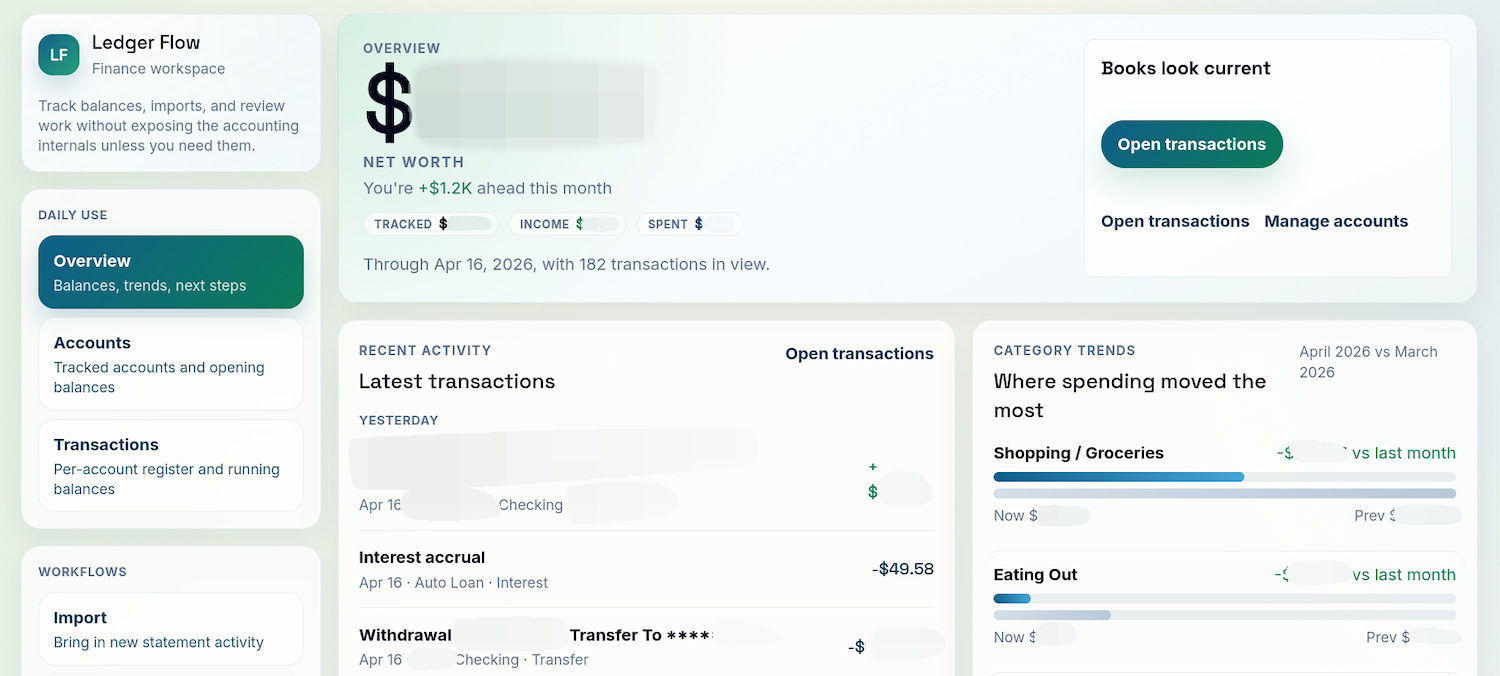
A snazzy prototype dashboard replete with AI-generated copy.
Plain-text files are cool
I love plain-text files. They’re so flexible and useful. That’s why I’ve used plain-text accounting systems for many years. I wanted my new app to keep that as its foundation.
Perhaps the most important reason for using this simple file format is about knowing how and where your data is stored. The mighty .txt is preferable to complex systems where one’s data is locked in a database hosted who knows where. If the company ever shutters the product, you have to scramble to export your data and find a new place for it (looking at you, Mint). That’s if the company doesn’t just go bankrupt and close all of a sudden. With plain-text files, your data is yours and it will always be readable.
Making a GUI for plain-text accounting
Within a day or two, I had already built a working prototype. I’ve long had an interest in building websites, so it seemed a natural intersection between that and an app for personal finance.
With the quick progress on the app, I started getting ambitious. I thought, if I got this far this fast, why stop here? What else could I make my new app do?
So I began planning. I learned (and am still learning) how to get the most out of AI as a programming tool. For my new app, I distilled the concept down to three questions that it would answer about the user’s finances:
- Where do I stand now?
- What’s changed recently?
- Where do I go next?
The first question is fairly straightforward. It involves getting data in and making sure it’s up to date. The second question is a little more complex. A personal finance app should show what changed and by how much, and it should also make it easy to examine the changes in detail. Once you have that in place, you can use planning features like budgets and goals to set yourself on the path to financial independence.
In my app, features are already in place to answer the first question quite well. Data import works reliably for the institutions I bank with. Transaction categorization is fast and mostly automatic. Right now, I’m working on making the app trustworthy for the features that it has now. For example, when the user makes a mistake in categorizing or importing, it should be easy and safe to undo the operation without losing data.
To answer the second question about what’s changed recently, I need to improve the UI, which has a few quirks that need ironing out. At the same time, I’m also working on adding more interactivity. Clicking on a chart or an account name should show more detail about for the given context. Each change is small, but the cumulative effect is a big win for usability.
I’m spending most of my limited free time working on this app, hence my slower pace of publishing on this blog. I’ve never built a web app before, but I have a good foundation through building my blog and other websites. I’ve found that getting started is quick with AI but gets slower and more difficult as projects progress. I’m not in a hurry, though. What I’ve got now is already useful to me, if not anyone else.
An interesting thing I’ve discovered throughout this process is that a little knowledge about something can take a person really far when paired with AI. I know enough about web development to have an idea about common patterns and best practices. That means that even though I might have difficulty implementing a task if I were to do it on my own, I know enough to instruct an AI on the requirements to yield a usable product. Maybe I’m just wearing my Dunning-Kruger cap of achievement and it’ll all come crashing down on my head, but the progress I’ve made with my project is promising.
You can check out my app in my GitHub repo. The documentation is pretty much 100% AI-generated; it exists mostly to help guide coding agents in the development process. If you want to install the app and try it out, you’ll need to download a copy of the repo and install dependencies with Python and pnpm.